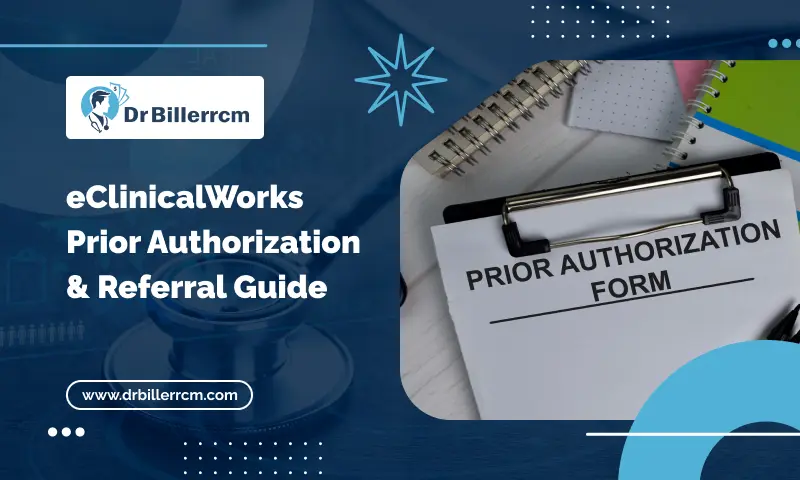
A referral may be entered correctly yet remain pending due to lack of clinical documentation, an insurance requirement, or a delayed follow-up. Prior authorization can create similar problems, especially when staff must verify payer rules, submit documentation, track responses, and confirm approval before the scheduled service.
A well-organized eClinicalWorks workflow can give referral and authorization teams clearer task ownership, better status visibility, and easier access to supporting information. eClinicalWorks also provides referral management features that can help staff track pending referrals and document clinical details, notes, and structured data.
However, using the system does not remove every administrative issue. Payer-specific requirements, incomplete documentation, incorrect insurance information, expired authorizations, and inconsistent staff follow-up can still cause delays.
This guide explains how to arrange referrals and prior authorizations in eClinicalWorks while identifying workflow gaps that practices should fix.
Why Referrals and Prior Authorizations Need a Better Workflow
Referrals and prior authorizations can involve insurance checks, clinical documentation, payer requirements, and repeated follow-up. Without a clear process, requests may remain pending and delay scheduling, treatment, or claim processing.
Common issues include incorrect insurance details, missing referral orders, incomplete clinical notes, incorrect CPT or HCPCS codes, and missing ICD-10-CM information. Each mistake might increase staff workload and delay payer review.
Practices can strengthen this process by combining authorization workflows with health insurance eligibility verification services so coverage, member information, and payer details are reviewed before services are scheduled or submitted.
Referral management and prior authorization have different requirements. eClinicalWorks improves referral tracking by allowing the team to submit clinical facts, comments, and structured information for each referral.
A coordinated workflow helps referral, authorization, clinical, scheduling, coding, and billing teams stay informed. Staff can identify pending requests, document payer decisions, monitor expiration dates, and reduce authorization-related billing problems.
How eClinicalWorks Referral Management Works
eClinicalWorks Referral Management helps practices record and monitor referrals within the EHR. A clear process can help staff identify pending referrals, maintain clinical information, and follow up before delays affect patient care.
Create and Document the Referral
Start with complete referral information, including the referring provider, receiving specialist, reason for referral, diagnosis, and relevant clinical details. Add applicable notes and supporting information so the receiving provider has the necessary context. eClinicalWorks states that referral records can include clinical details, notes, and structured data.
Before submitting the referral, staff should ensure that the patient’s insurance information is current and that any payer or plan requirements have been met. This early check can reduce avoidable follow-up later.
Track Pending Referrals
Use referral status to identify requests that still need action or a response. eClinicalWorks describes a pending status that helps providers and staff see which referrals remain outstanding.
Review pending referrals at defined intervals and assign responsibility for follow-up. A visible worklist can help prevent referrals from remaining inactive without an owner.
Follow Up on Unresolved Referrals
Staff should document communication with specialists, patients, and payers when applicable. Record the follow-up date, response, next action, and referral status so other team members can understand what remains.
eClinicalWorks also describes status updates after a referral has been addressed, giving teams a clearer record of completed and outstanding referrals.
How to Streamline Prior Authorizations in eClinicalWorks
An effective eClinicalWorks prior authorization workflow starts with confirming payer requirements and gathering the right information before submission. This reduces avoidable requests for additional records and gives staff a clearer process for tracking each authorization.
Verify Whether Prior Authorization Is Required
Check the patient’s plan and payer requirements before scheduling or providing the service. Confirm the service, CPT or HCPCS code, diagnosis, provider, place of service, and applicable referral requirements.
Also verify the patient’s coverage and member information. Payer rules can differ by plan, so staff should use current payer guidance rather than rely on an older authorization record.
Prepare Complete Authorization Documentation
Gather the clinical information that supports the required service. Depending on payer requirements, this may include:
- Relevant ICD-10-CM diagnosis codes
- Clinical notes and treatment history
- Test or imaging results
- Medication history
- Referring provider information
- Requested CPT or HCPCS codes
- Number of visits, units, or service dates
Accurate coding is particularly important because authorization requests and subsequent claims need to accurately reflect the services being requested and provided. Practices can also review their medical coding services workflow to identify coding-related gaps that may contribute to claim or authorization issues.
Submit and Record the Authorization
After reviewing the request, submit it through the applicable payer or electronic authorization process. eClinicalWorks documents cover the electronic authorization capabilities for specific services and payer workflows.
Record the submission date, payer, confirmation or reference number, requested service, and current status. When you receive a decision, note down the permission number, approved dates, units or visits, and any conditions that came with it.
Build an eClinicalWorks Prior Authorization Workflow
A consistent eClinicalWorks prior authorization workflow gives staff a defined process from requirement checks through payer decisions. Each request should have clear documentation, an assigned owner, a current status, and a follow-up date.
Step 1: Identify the Authorization Requirement
Confirm whether the patient’s plan requires prior authorization for the planned service, medication, procedure, imaging, or treatment. Check the payer’s current requirements before scheduling or providing the service.
Step 2: Verify Patient and Insurance Information
Confirm:
1. Patient demographics
2. Member ID and group number
3. Active coverage
4. Payer and plan
5. Ordering and rendering providers
6. Referral requirements
Correct insurance information before submission to reduce avoidable processing issues.
Step 3: Check Coding and Clinical Requirements
Compare the applicable CPT, HCPCS, and ICD-10-CM codes to the requested service. Ensure that clinical documentation supports the payer’s assessment and required medical standards.
Step 4: Submit the Request
Attach the required records and submit the authorization through the applicable payer channel. Record the submission date and confirmation or reference number.
Step 5: Monitor the Request
Assign responsibility for follow-up and maintain a clear status, such as Submitted, Pending, Additional Information Required, Approved, or Denied. Review requests that remain pending beyond the payer’s stated processing period.
If an authorization-related issue eventually contributes to a claim rejection or denial, the practice may need a structured denial management services process to identify the underlying cause, correct the issue, and prevent similar problems from recurring.
Step 6: Close the Authorization Loop
After a decision, document the authorization number, approved service, dates, units or visits, and any restrictions. Before the service offer or claim is submitted, inform the scheduling, clinical, coding, and billing personnel of the outcome.
Conclusion
Effective referral and prior authorization management starts with accurate patient information, complete documentation, and clear staff responsibility. A structured eClinicalWorks workflow can help teams track requests, follow up on pending items, and document payer decisions.
The process should continue beyond authorization approval. Reviewing authorization details before scheduling and billing can help prevent mismatches, avoidable rework, and authorization-related claim issues.
By connecting referral, authorization, clinical, scheduling, coding, and billing tasks, healthcare practices can create a more consistent process. Regular workflow reviews can also help identify delays and improve patient access.
FAQs
How does eClinicalWorks help manage referrals?
eClinicalWorks referral management helps practices record referral details, clinical information, notes, and structured data. Staff can also track pending referrals and update their status after the referral is addressed.
How can I streamline prior authorizations in eClinicalWorks?
Start by verifying payer requirements, confirming patient and insurance information, checking CPT, HCPCS, and ICD-10-CM codes, and gathering required clinical documentation. Assign staff responsibility for each request and track its status through completion.
What information is needed for a prior authorization in eClinicalWorks?
Required information varies by payer and service. Common requirements include patient and insurance details, diagnosis codes, requested CPT or HCPCS codes, clinical notes, test results, treatment history, provider information, and requested service dates or units.
How should staff track pending referrals and prior authorizations?
Use clear status categories such as Submitted, Pending, Additional Information Required, Approved, and Denied. Record submission dates, payer reference numbers, follow-up dates, authorization numbers, approved services, and expiration dates.
Can referral and prior authorization errors affect medical billing?
Yes. Missing referrals, incorrect authorization numbers, expired approvals, mismatched CPT or HCPCS codes, and services performed outside approved dates or units can contribute to claim problems.